Looking for an easy way to choose students fairly during class? A Classroom Name Wheel helps teachers randomly select students for questions, reading activities, presentations, and classroom jobs. Simply add your class list, spin the wheel, and let it pick the next student. It makes classroom participation more interactive while giving everyone a fair chance to take part.
Whether you are teaching elementary, middle, or high school students, a Random Name Picker Wheel can make everyday classroom activities more engaging. Use it to choose who answers next, assign classroom responsibilities, create random groups, or decide presentation order. You can also use a no-repeat selection method to give each student a turn before choosing someone again.

Table of Contents
What Is a Classroom Name Wheel?
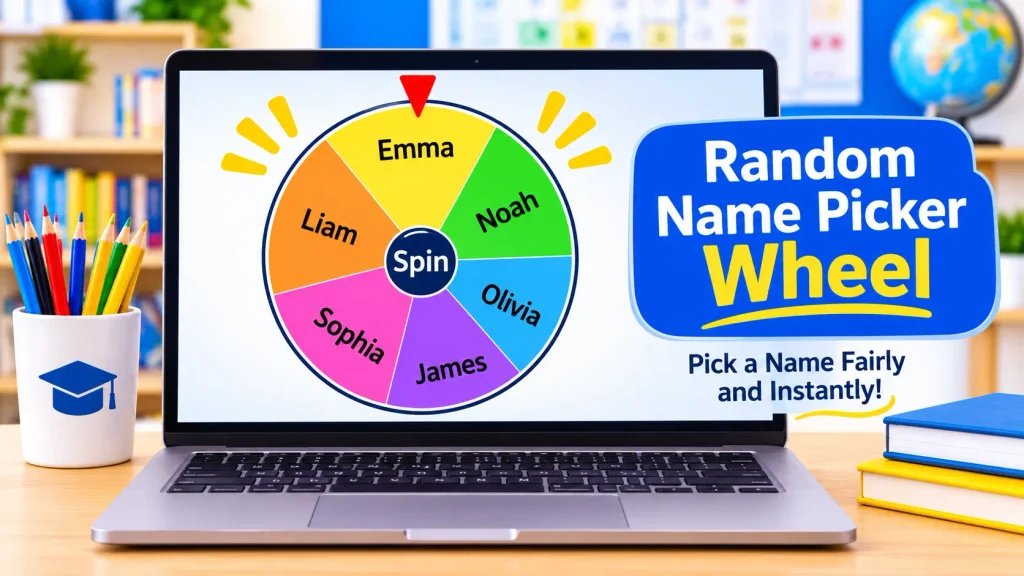
A Classroom Name Wheel is a digital tool that helps teachers randomly select students from a class list. Instead of choosing names by hand, teachers can enter their students’ names into a spinning wheel and let it select one at random. A Classroom Name Wheel makes it easier for teachers to organize student selection and encourage classroom participation.
Each name appears as a section on the wheel. When the teacher clicks the spin button, the wheel turns and stops on one student. This makes the selection process easy to follow because the class can watch the result appear on the screen.
Teachers can use a random name picker for many everyday classroom tasks, such as choosing students to answer questions, selecting the next reader, assigning classroom jobs, or deciding who presents first.
A classroom name wheel can also be displayed on a projector or interactive whiteboard, allowing everyone to see the selection. It is a simple way to organize turns and give students an opportunity to participate.
Why Do Teachers Use a Classroom Name Wheel?
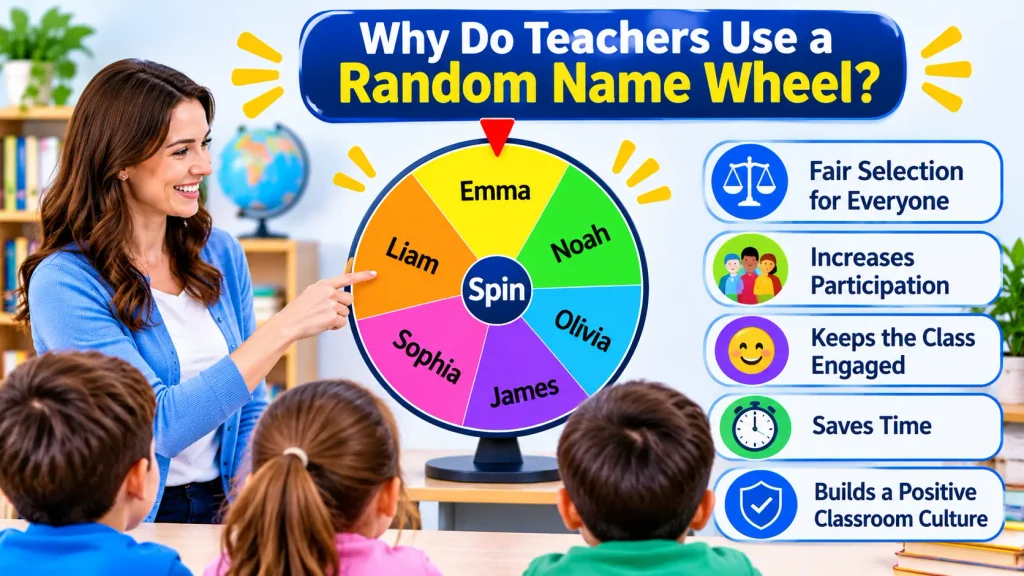
Teachers often need a quick and organized way to involve students in classroom activities. A Classroom Name Wheel makes this easier by selecting names randomly instead of asking teachers to choose students themselves.
Here are some useful reasons teachers use a random name picker in their classrooms.
1. Give Every Student a Chance to Participate
Some students enjoy answering questions, while others may feel shy about speaking in front of the class. A random name wheel can help teachers invite different students to participate instead of choosing only those who raise their hands.
2. Make Classroom Activities More Interactive
Watching the wheel spin creates a moment of excitement. Students become curious about whose name will appear next, making simple activities such as answering questions or reading aloud more engaging.
3. Save Time During Lessons
Choosing names manually can interrupt the flow of a lesson. Teachers can add their class list once and use the wheel whenever they need to select a student.
4. Reduce Repeated Selections
Some name wheels offer a remove-after-selection option. When enabled, the selected name is removed from the next spin, helping teachers give other students a turn before repeating a name.
5. Make Selection More Transparent
When the wheel is displayed on a classroom screen, students can watch the selection process. This makes it easier for everyone to understand how a name was selected.
How to Use a Classroom Random Name Picker Wheel
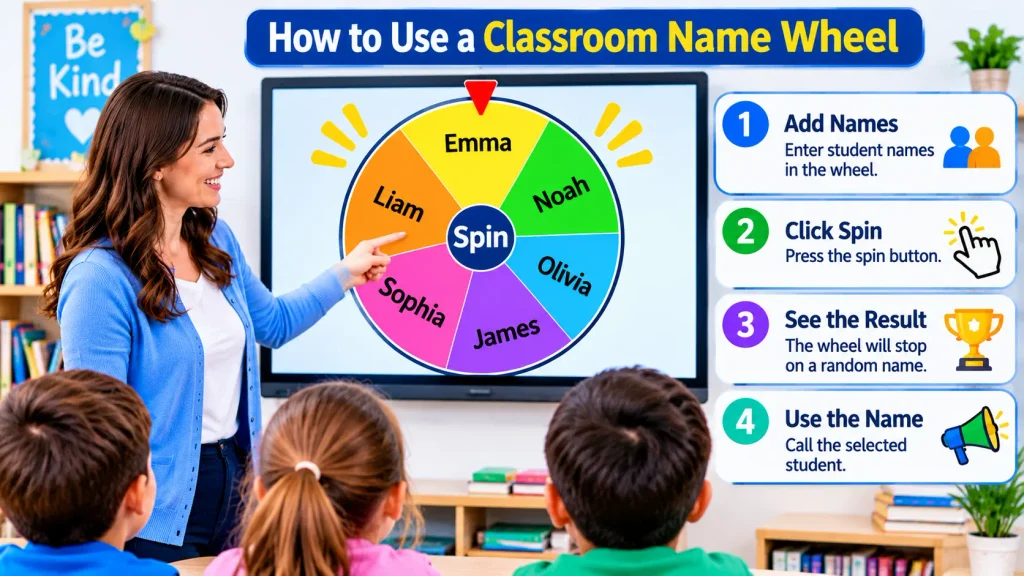
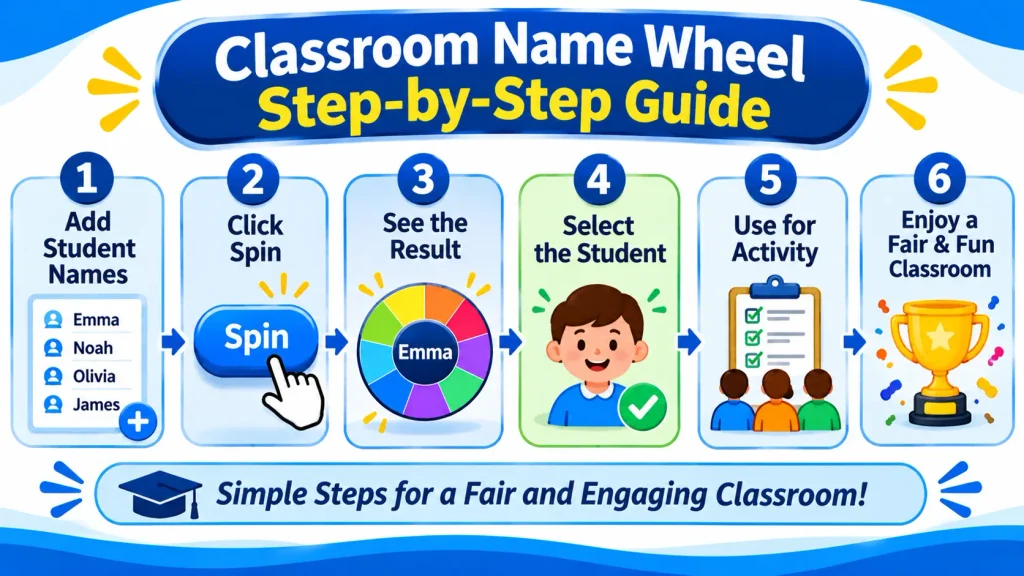
Using a classroom name wheel is simple. Teachers can prepare a list of student names and use the wheel whenever they need to make a random selection. Follow these steps to get started.
Step 1: Prepare Your Class List
Start by creating a list of your students’ names. Check the spelling and make sure every student who should participate is included. Remove duplicate entries so the same student does not appear more than once.
Step 2: Add Names to the Wheel
Open your Random Name Picker Wheel and paste or type your class list into the name-entry area. Add one student name per line if the tool supports that format. Check the list before spinning to make sure all the required names are included.
Step 3: Customize the Wheel
Some wheels allow teachers to change colors, sounds, or other display settings. Choose a clear design that students can easily see from their seats. Keep the wheel simple so the names remain easy to read.
Step 4: Spin the Wheel
Display the wheel on your classroom screen, projector, or interactive whiteboard. Explain the activity to students, then click the spin button. The wheel will randomly select a name, giving the class a clear result to follow.
Step 5: Give the Selected Student a Turn
Once a name appears, invite that student to participate. They might answer a question, read a paragraph, explain an idea, or complete an assigned classroom task.
Step 6: Continue or Remove the Selected Name
If you want each student to have one turn before anyone is selected again, use the remove-after-selection option if your wheel provides it. Otherwise, keep the full list and spin again according to your classroom activity.
Step 7: Reset the Wheel for a New Activity
When the activity is finished, restore the complete class list if selected names were removed. Review the names before starting another round.
Best Classroom Activities Using a Random Name Picker Wheel
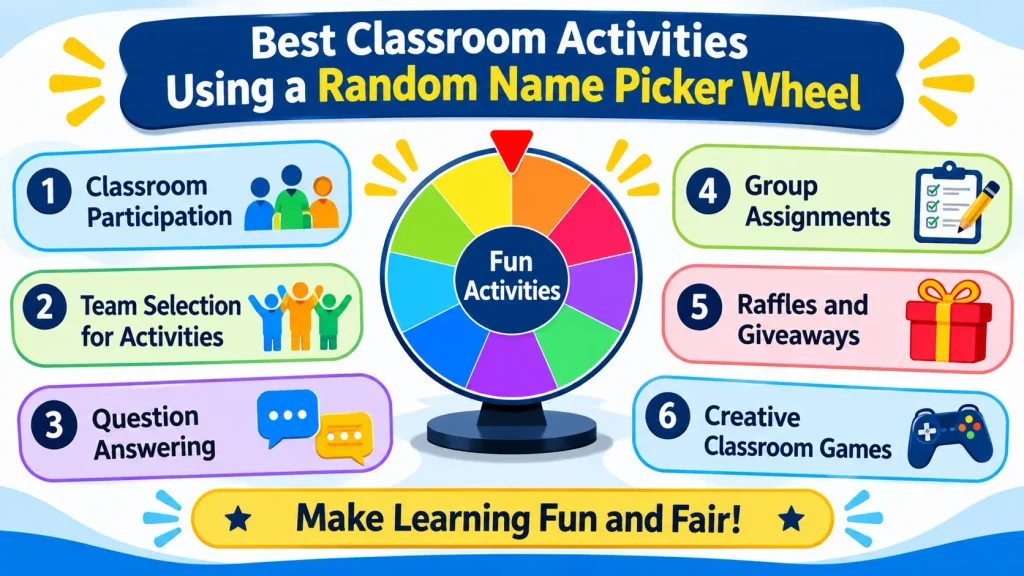
A classroom name wheel is useful for more than choosing who answers a question. Teachers can use it to introduce variety into everyday lessons, organize student turns, and make group activities more interactive.
Here are some practical ways to use a random name picker in different classroom situations.
1. Random Question Selection
Add your students’ names to the wheel and spin it whenever you ask a question. The selected student gets an opportunity to answer. This can help teachers involve students beyond those who regularly raise their hands.
2. Reading Activities
Use the wheel to decide who reads the next paragraph, page, or section of a lesson. Students can follow along while the selected reader takes their turn. This works well during reading practice and group discussions.
3. Classroom Job Assignments
Teachers can use a name wheel to select students for simple classroom responsibilities, such as handing out worksheets, organizing books, cleaning the board, or distributing classroom supplies. You can create a separate list of jobs and select students for each task.
4. Group and Team Activities
Spin the wheel to choose students who will join a team, lead a discussion, or share their group’s ideas. For larger classes, teachers can prepare smaller lists to organize different activities.
5. Presentation Order
When several students have prepared presentations, a random name picker can decide who presents first, second, or next. This avoids spending lesson time deciding the order manually.
6. Vocabulary and Spelling Practice
Use the wheel to select a student who will explain a vocabulary word, spell a new term, or create a sentence using a word from the lesson. Teachers can prepare questions or words separately and combine them with the name wheel.
7. Warm-Up Questions and Quick Reviews
At the beginning or end of a lesson, spin the wheel to select students for short review questions. This can help teachers revisit important ideas and check what students remember.
8. Classroom Games and Challenges
Turn revision into a simple classroom game by using the wheel to select participants for quizzes, subject-related challenges, or team competitions. Keep the questions suitable for the students’ age and learning level.
9. Choosing a Classroom Helper
Use the wheel to select a helper for the day or for a particular activity. If you want different students to get a turn, remove each selected name until the list is complete, then restore the names for the next round.
How to Make Student Selection Fair and Inclusive
A random name wheel can help teachers select students without always choosing the same volunteers. However, using a wheel does not automatically make every classroom activity fair. Teachers should prepare the list carefully and consider the needs of their students.
Here are some useful ways to make student selection fair and comfortable for everyone.
1. Include Every Eligible Student
Before spinning the wheel, check that all students who are expected to participate are included. Missing names or duplicate entries can affect the selection process. Keep the list updated when students join or leave the class.
2. Explain How the Wheel Works
Tell students why you are using a random name picker and how names are selected. When students understand the process, they are more likely to see it as an organized way to choose participants.
3. Use the No-Repeat Option When Needed
If your activity requires every student to get one turn, remove selected names after each spin. This helps prevent a student from being picked repeatedly before others have had an opportunity.
4. Give Students Different Ways to Participate
Not every student feels comfortable speaking in front of the whole class. Depending on the activity, allow selected students to answer verbally, write their response, work with a partner, or share their ideas in a small group.
5. Respect Student Needs
Some students may need additional time, learning support, or an alternative way to take part. Teachers should consider individual classroom needs and avoid using random selection for activities where a student may feel uncomfortable or unprepared.
6. Review the Selection Process
After an activity, consider whether the wheel helped distribute turns as intended. If you notice missing names, repeated selections, or other problems, correct the list before using it again.
A classroom name wheel should support participation, not create pressure. Combining random selection with thoughtful teaching decisions can help create a more welcoming classroom environment.
Classroom Name Wheel vs. Traditional Name Selection
Teachers can choose students in different ways. Some prefer calling names from a class register, while others use a random name picker wheel. Both methods can work, but each has different benefits depending on the classroom activity.
Traditional Name Selection
Traditional selection usually involves reading names from a class list, choosing students who raise their hands, or asking volunteers to participate. It does not require a digital tool and can be useful when teachers want to select a particular student for a specific reason.
However, manually choosing names may take extra time during busy lessons. Students who regularly volunteer may also receive more opportunities than quieter classmates.
Classroom Name Wheel
A digital classroom name wheel offers a visual way to select students randomly. Teachers enter their class list, spin the wheel, and let it choose a name. The process is easy for students to watch, especially when the wheel is displayed on a projector or interactive whiteboard.
Some tools also include options such as removing selected names, changing wheel colors, and saving lists for future activities.
Which Method Should Teachers Choose?
The best method depends on the purpose of the activity. A classroom name wheel is useful when teachers want random selection and visible results. Traditional selection may be more suitable when a lesson requires choosing students based on their individual learning needs or previous progress.
Teachers can also combine both methods. For example, they can use a wheel for general classroom questions and choose students directly when providing individual support.
Tips for Using a Classroom Name Wheel Effectively
A classroom name wheel works best when teachers prepare it properly and connect it to a clear learning activity. A few simple practices can make the experience smoother for both teachers and students.
1. Keep Your Student List Updated
Review your class list before each new activity. Add new students, remove names that no longer belong in the class, and check for spelling mistakes or duplicate entries.
2. Use Clear and Readable Names
Choose a font size and wheel design that students can easily see. If you have a large class, use a simple color scheme and avoid adding unnecessary text to the wheel.
3. Explain the Activity Before Spinning
Tell students what they will be asked to do when their name is selected. For example, explain whether they will answer a question, read a passage, or help with a classroom task.
4. Choose Activities That Match the Lesson
Connect random selection with your learning goals. During a science lesson, the selected student might explain a key term. In an English lesson, they could read a paragraph or use a vocabulary word in a sentence.
5. Decide Whether to Use No-Repeat Selection
Think about the purpose of your activity before enabling name removal. If everyone needs one turn, remove selected names. If you are running a quick question session, keeping all names on the wheel may be more suitable.
6. Check the Wheel Before Class
Test the tool before using it with students. Make sure the names appear correctly, the spin button works, and the wheel is ready to display on your classroom screen.
7. Have a Backup Plan
Technology may not always work as expected. Keep a printed class list or another simple selection method available in case your internet connection or classroom display is unavailable.
8. Keep Participation Positive
Encourage students to support one another and treat every selection as a normal part of learning. Avoid using the wheel to embarrass students or punish them for incorrect answers.
With a little preparation, teachers can use a random name picker as a practical classroom resource while keeping activities organized, clear, and enjoyable.
Frequently Asked Questions
1. How Do I Pick a Random Student in the Classroom?
Add your students’ names to a Classroom Name Wheel, then click the Spin button. The wheel will randomly select one student for questions, reading activities, or classroom tasks.
2. Is There a Free Random Name Picker for Teachers?
Yes. Teachers can use free online random name picker tools to select students from a class list. Some tools work directly in a browser without requiring an account or sign-up.
3. How Can I Stop the Wheel from Picking the Same Student Twice?
Use the remove-after-selection or no-repeat option if the tool provides it. This removes the selected name from the remaining list until the next round, helping every student get a turn.
4. Can I Use a Classroom Name Wheel on a Smartboard or Projector?
Yes. Open the wheel in a web browser on a computer connected to your classroom display. Use full-screen mode if available so students can easily see the names and selected result.
5. Can I Save My Students’ Names for Future Classes?
Some random name picker tools allow teachers to save their class lists in the browser. This can make it easier to reuse the same list in future lessons without entering every name again. Check the tool’s privacy and storage settings before saving student information.
Conclusion
A Classroom Name Wheel is a simple way for teachers to make student selection more organized, interactive, and engaging. Whether you need to choose someone to answer a question, assign classroom jobs, organize reading turns, or select presentation order, a random name picker can make the process easier.
By adding your class list and spinning the wheel, you can give students opportunities to participate while reducing the time spent choosing names manually. Features such as no-repeat selection and full-screen display can also make classroom activities easier to manage.
Try a Classroom Name Wheel in your next lesson and discover a simple way to bring more interaction into everyday classroom activities.